Free on iPhone, Android, Mac, Windows, Linux and the web
Roleplay together, in real time
Make your characters, start a chat with friends and write the story one line at a time. Meet people who love the same stories and decorate your profile your way.
- 10 languages
- 19 themes
- New friends
- Custom stickers
- Phone, tablet, computer and web
Group roleplay chat
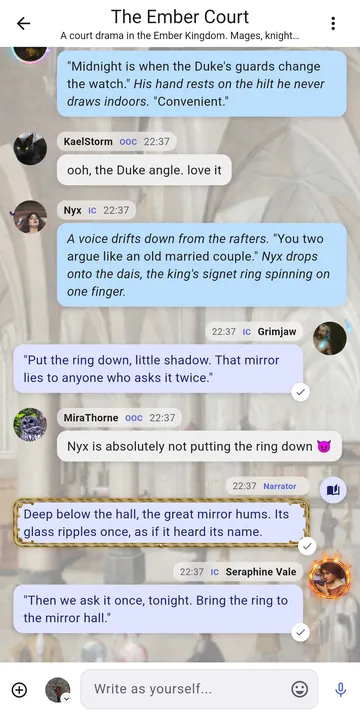
Roleplay with friends, in character
Speak as your character, step out of character to plan the next scene, or set the stage as the narrator. Typing bubbles grow into replies, and everyone sees the story as it happens.
- In character, out of character and narrator, all in one chat
- See who is typing, and as which character
- Read receipts that show who has caught up
Characters
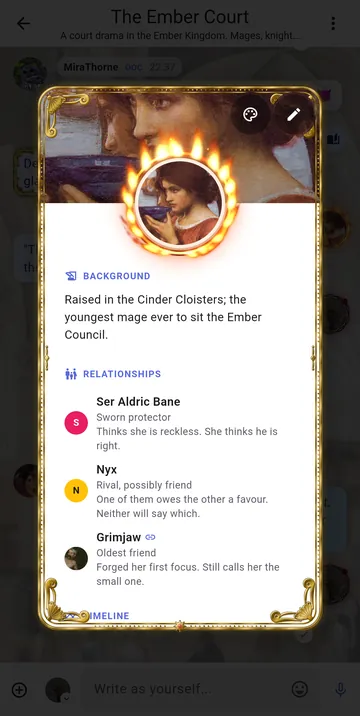
Characters with real depth
Give each character a portrait, a personality and the details that matter: who they love, who they owe, what they hide. Their card follows them into every chat, so the table always knows who is talking.
- Relationships, timelines, facts and secrets
- Link them to your friends' characters as family or rivals
- Short a player? Let an AI character answer and keep the scene moving
3D dice
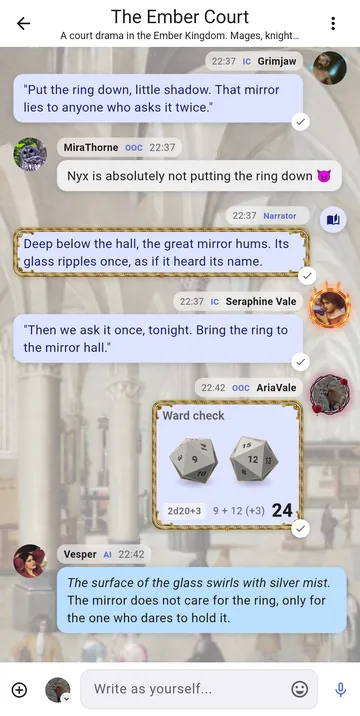
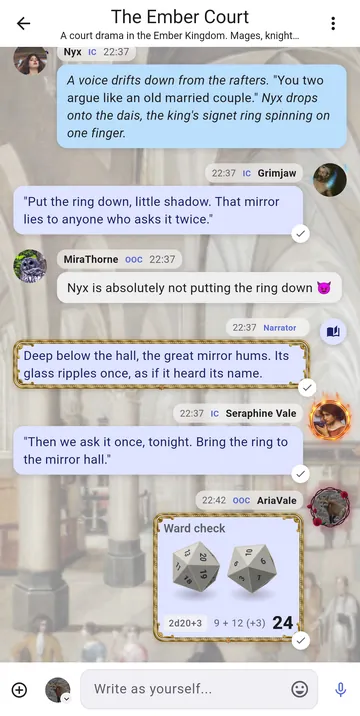
Roll real 3D dice
Type /roll 2d20+3 or open the dice tray. The dice tumble across the chat for the whole table, and the server rolls them, so nobody can fudge a number.
- Any roll from d4 to d100, with several dice and a modifier
- Paint your own set from a description, or put your art on the faces
- A different set for every chat
World
Find a story to join tonight
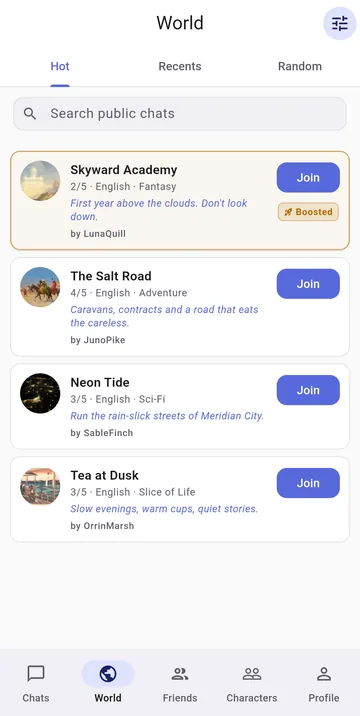
World lists public chats ranked by what is active right now. Filter by genre and language, read the premise, meet the cast and ask for a seat. The owner decides who joins.
- Hot, Recents and Random
- Fantasy, sci-fi, mystery, slice of life and more
Themes
19 themes for every mood
From soft Sakura to gothic Raven and Absinthe. Pick one for the whole app, or a different one for each chat.
-
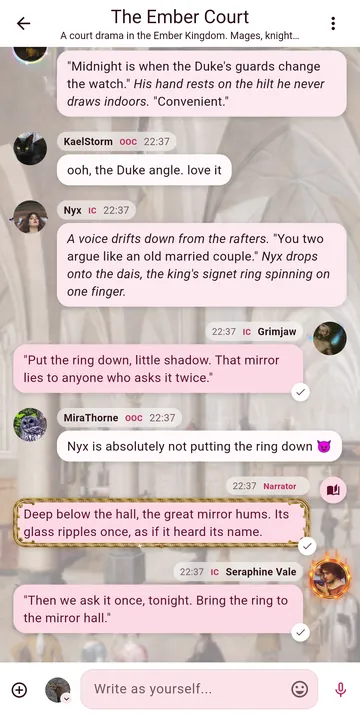 Sakura
-
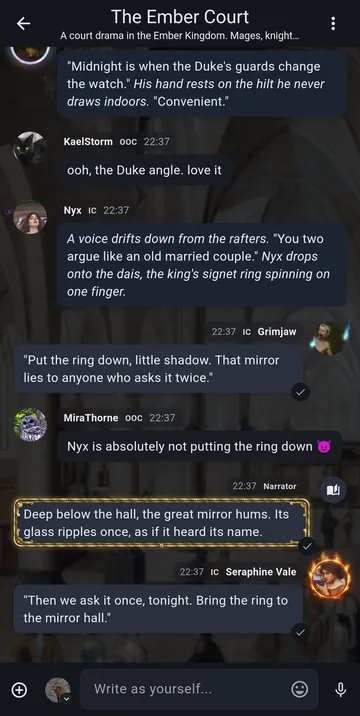 Raven
-
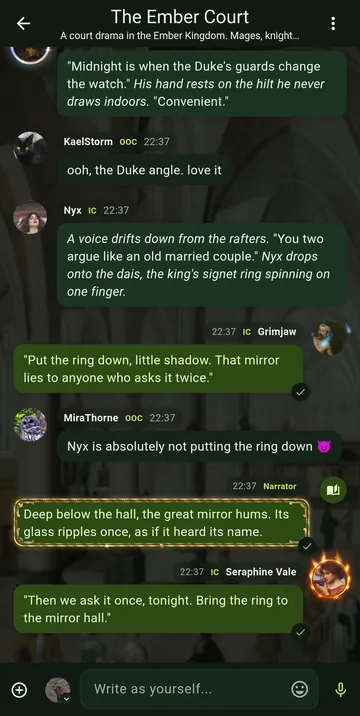 Absinthe
Profiles
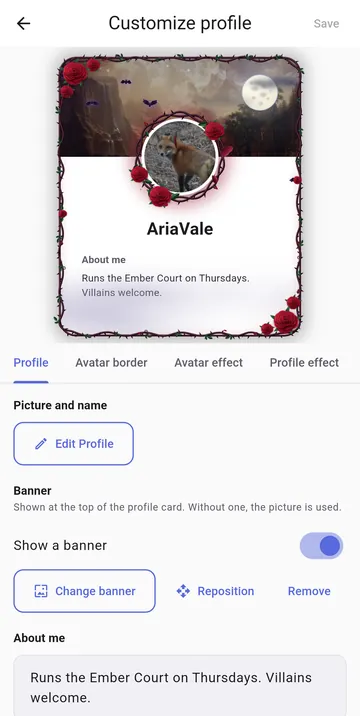
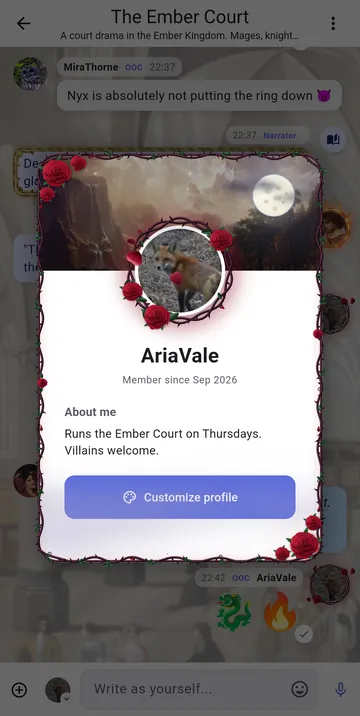
Dress up your profile
Card frames, avatar borders, animated effects, banners, chat bubbles and backdrops for your rows in every list.
- Wear them on your profile and on your characters
- Write your name in fancy letters and emoji
- Unlock once with credits, wear as often as you like
Story tools
Catch up in seconds
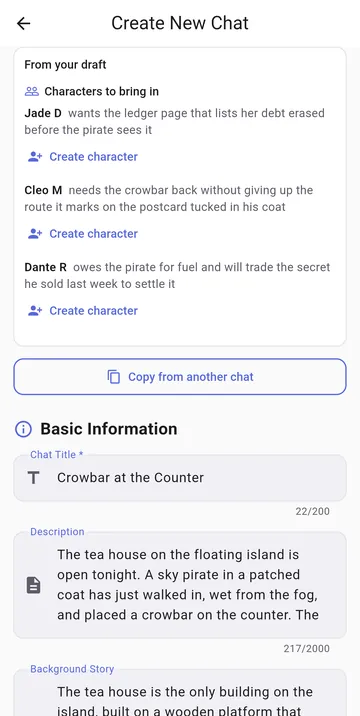
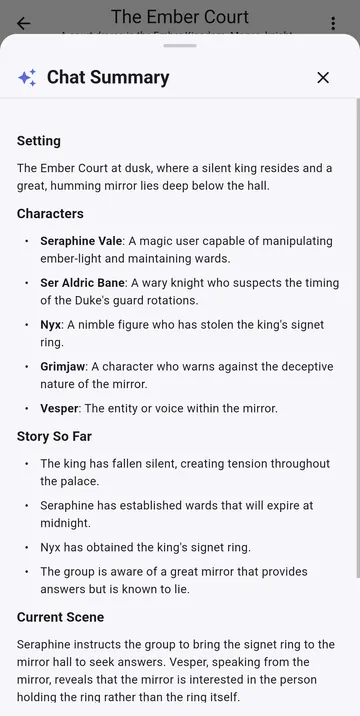
Back after a busy week? Read the story so far, or ask anything about what happened. Starting fresh? Write one idea and get a full character, or a chat with its cast and an opening scene.
- The story so far, written from the chat itself
- Ask about this chat: who has the ring, and why?
- Draft from an idea, and a painted portrait for each character
Phone and tablet
Your chats, in order
Sort your chats into folders that follow you to every device. On a tablet, the chat you are in opens right beside the list.
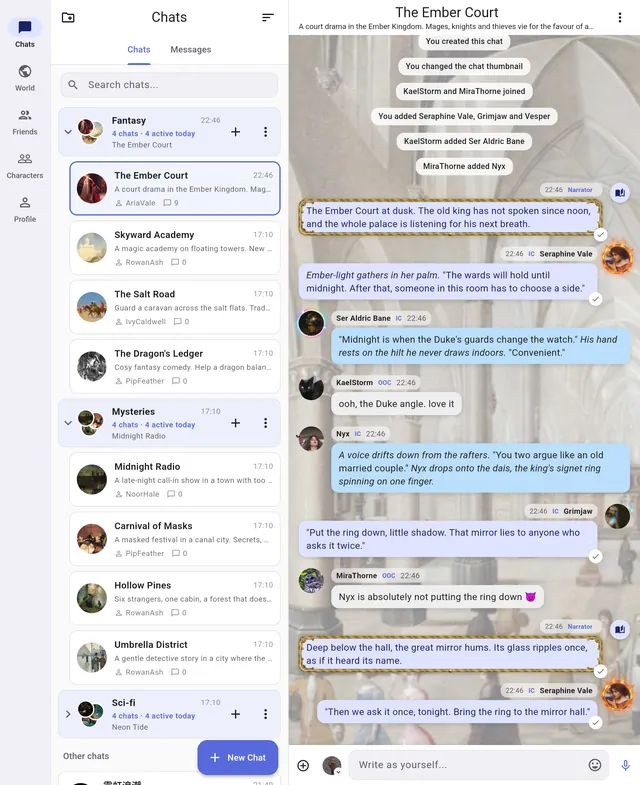
- Folders that follow you everywhere
- Unread dots for groups and messages
- Made for iPad and Android tablets
And plenty more
The small things that make a long story easier to tell.
-
Friends and messages
Add friends, open their profiles and talk one to one, away from the scene.
-
Invite with a link
Send a link and your friends land straight in the chat.
-
Your own stickers
Turn any picture into a sticker or an emoji and use it in every chat.
-
Reply to any line
Quote a message in your reply, so two threads of a scene never tangle.
-
Ten languages
English, Español, Português, Français, Deutsch, Italiano, Русский, 日本語, 한국어 and 中文.
-
Names your way
Fancy letters and emoji work in usernames, character names and sticker names.
-
Free app icons
Switch your home screen icon to Halloween or pink whenever you like.
-
Previews and big emoji
Links show a preview card, and a message of only emoji shows big.
How a story starts
Three steps from download to the first scene.
Create a character
Give them a name, a portrait and a personality. Add relationships and secrets as the story grows.
Open a chat or join a world
Invite friends with a link, or find a public world in the genre you like and ask to join.
Play
Write in character, roll when the outcome is uncertain, and let the narrator set the scene.
Questions people ask
Is RP Nowz free?
Yes. Creating characters, chatting, rolling dice and joining worlds are free. Credits are optional and pay for extras such as themes, profile looks or a boost for your world. You can buy them or earn them by watching short ads.
Is RP Nowz an AI roleplay app?
No. RP Nowz is made for roleplaying with real people, and every chat is written by the people in it. If a story needs one more character, the owner can add an AI character for a side role, and anyone can read a summary of the story so far.
How do I start a story with my friends?
In Chats, tap New Chat and create your chat. Then invite people from inside it: Invite Friends picks from your friends list, and Share Invite Link gives you a link they can open on their phone or in a browser.
How do I add my character to a chat?
Make your characters in the Characters tab first. Then, in the chat, tap the button next to the message box (it shows IC, OOC or Narrator) and choose Add Your Character, or All Characters if one of yours is already there. You write as the character you pick right away, and the message box shows its name.
How do I switch characters or talk out of character?
Tap the same button next to the message box. Choose IC to write as a character, OOC to talk as yourself, or Narrator to describe the scene. Your recent characters are listed there, and All Characters switches to any other or adds more.
How do I roll dice?
Type /roll and the dice in the message box, like /roll 2d20+3, or tap the dice button to open the dice tray. Everyone in the chat sees the roll, and the result comes from the server, so nobody can fudge a number.
Can I roleplay with people I don't know?
Yes. The World tab lists public roleplay chats you can browse by genre and language and ask to join. The owner approves every request.
How do I add friends?
In the Friends tab, tap Add Friend and enter their exact username or email. Once they accept, you can message them and invite them to your chats.
How do I decorate my profile?
In Profile, tap Customize profile to set a banner and bio and add borders and effects to your picture and card. Decorations are bought once with credits and show on your characters too. Profile, Theme changes the look of the whole app, and two themes are free.
Can I use RP Nowz on a computer?
Yes. Get the app for Mac, Windows or Linux at rpnowz.com/download, or open app.rpnowz.com in your browser. Sign in with the same account: your chats, characters and friends are all there, and on a big screen the chat you are in opens beside the list.
Which languages are supported?
English, Spanish, Portuguese, French, German, Italian, Russian, Japanese, Korean and Chinese, in the app and in World's language filter.

Start your next adventure
Free on iPhone, iPad, Android, Mac, Windows, Linux and the web. Make a chat, invite your friends and let the story begin.